
Streamlined Workflow Creation with the VelPAK Wizard
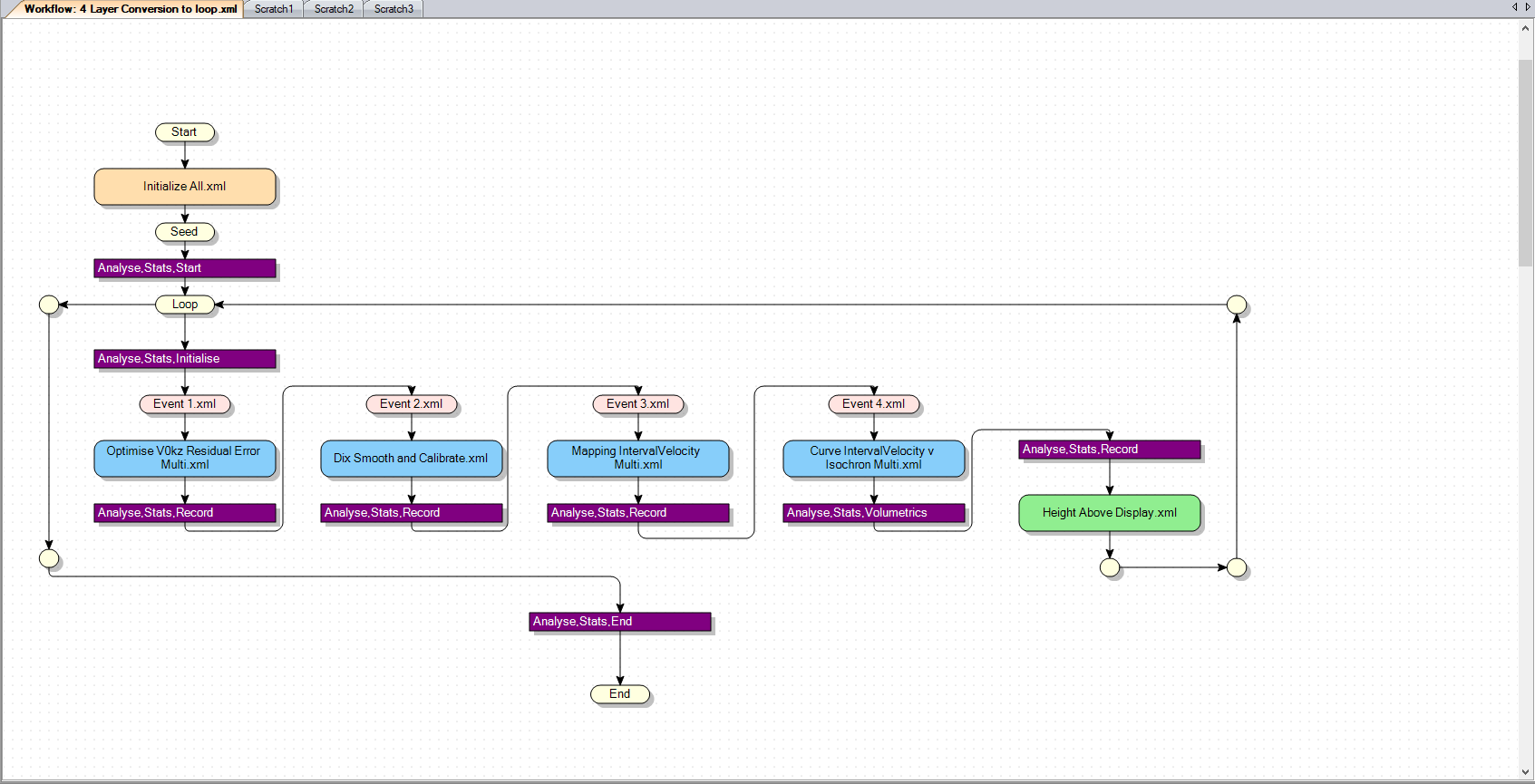
The VelPAK Wizard module streamlines workflow creation, allowing users to automatically generate workflows directly from its interface. This capability supports re-running models, utilizing custom functions, and maintaining a comprehensive audit trail of technical steps. The software ensures complete transparency in the depth conversion process, avoiding any ‘black box’ steps. With the ability to compute over 1,000 depth models at the click of a button, it helps reduce depth uncertainty while boosting both productivity and team efficiency.
Stochastic Modelling and the Analyse Module
Stochastic modelling in VelPAK is achieved via the robust Workflow system, which iterates through depth conversions using a range of values, storing and applying the data within the Analyse module. The Analyse module then enables users to filter and assess the results, providing confidence in the likely range of uncertainty in the model, and identifying the deterministic parameters needed to generate reliable P50 (most likely) and endpoint (P10, P90) solutions.
Setting Up the Base Case Model
To set up a depth conversion for a “Base Case model” (M0) that represents the best technical scenario, VelPAK’s workflow system runs and re-runs depth conversions while adjusting the constraints to generate multiple depth realizations. The constraints and ranges for these realizations can be configured either before or during the initial workflow run.
Managing and Exporting Results
Typically, at least 500 models are generated, with statistics and volumes stored for each well, layer, and volume in easily analysed Data Grids. These results can also be exported to Excel, and statistics, volumes, and parameters for each realization are recorded.
The Analyze module’s animation feature allows users to capture snapshots, enabling a ‘cartoon’ to visually display the range of reservoir sizes or other variables of interest. Each model’s parameters are saved, so any specific realization can be recreated by simply retrieving its model number.